How to refresh an old marketing video without reshooting it
A video that once worked hard for your business can quietly go stale — the colours look off, the captions feel dated, the pacing drags. A full reshoot isn't always the answer. Here's how to tell what's actually wrong with an old video, and fix most of it without a camera.
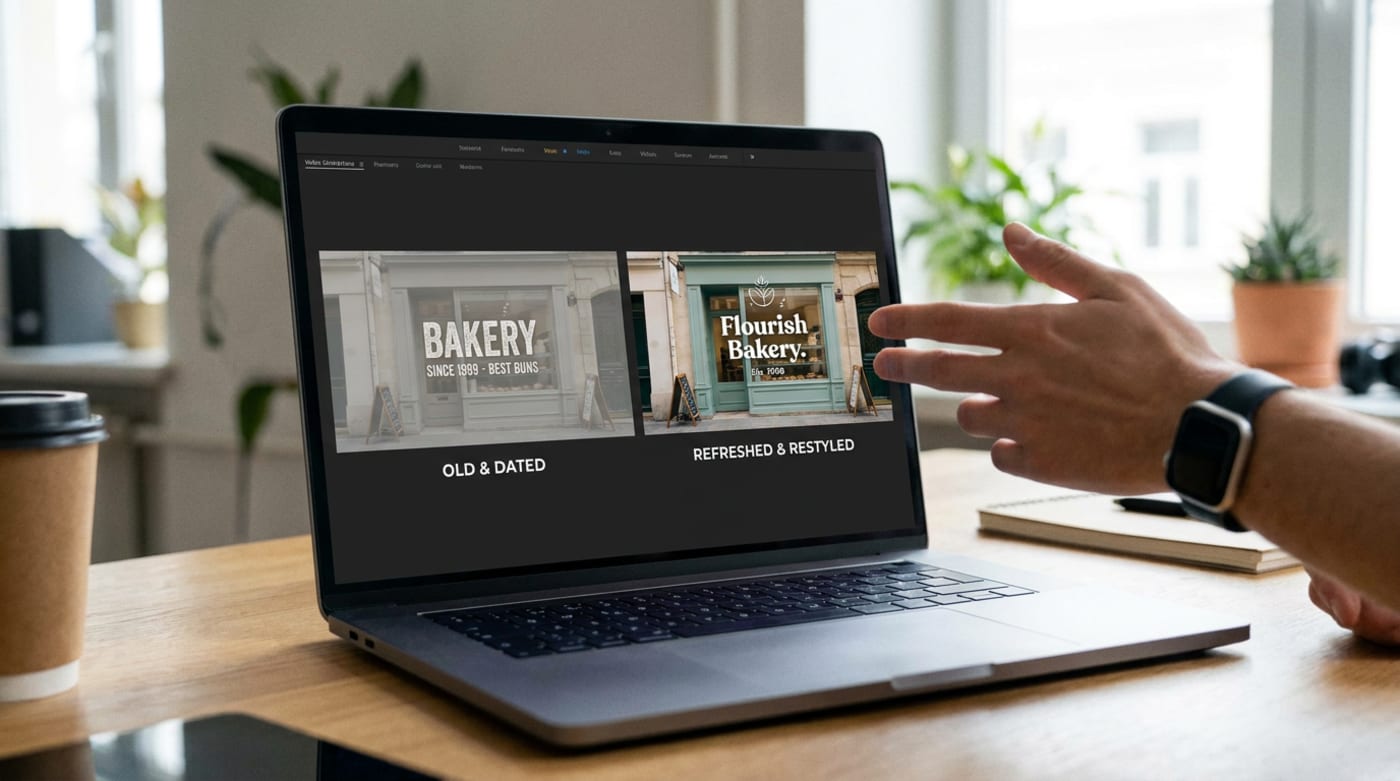
Most "dated" videos aren't dated because of what was filmed — they're dated because of the colour grade, pacing, captions, or branding layered on top, all of which can be redone without a camera. Re-grade the colour, tighten the edit, refresh the on-screen text and end card, and it can look current again. The exception is footage that's genuinely low resolution, badly shot, or shows a product or offer you no longer have — that's a reshoot, not a refresh.
1Diagnose what's actually dated
Before touching anything, work out which of these is doing the damage — it's rarely "everything":
- Colour — a flat, dull, or oddly-tinted grade compared to how you shoot now.
- Pacing — long, slow shots where today's attention spans expect a cut every couple of seconds.
- On-screen text — a caption style, font, or animation that reads as an older era of social video.
- Branding — an old logo, address, phone number, or offer that's since changed.
2Re-grade the colour rather than reshoot
Colour grading alone can carry most of the "modern" feeling a video is missing — richer, more accurate colour and consistent white balance across every shot. If the footage itself is well composed and in focus, a grading pass is usually the single highest-impact, lowest-effort fix available.
3Recut the pacing
Trim dead air at the start and end of shots, tighten pauses, and cut anything that doesn't earn its screen time. A video edited for 2019's attention spans is very often the same footage that just needs a faster cut to work now — the raw material hasn't gone stale, the edit has.
4Swap captions and on-screen branding for current versions
Caption styles date almost as fast as fashion — a font, animation, or placement style can immediately mark a video as several years old regardless of the footage underneath. Replace it with your current caption style and logo, and update anything that's factually out of date (an old phone number, an offer that's ended, a menu item you no longer sell).
5Refresh the end card and call to action
The end card is often the most neglected part of an old video and the easiest to update in isolation — a current offer, a current handle, a current link, even if nothing else in the video changes.
Refresh itFootage is sharp, well-composed, and still shows something relevant to your business today — it just looks or sounds a bit dated.
Reshoot itFootage is genuinely low resolution, badly lit or out of focus, or shows a product, menu, price, or offer that no longer exists.
Common mistakes worth checking for
- Refreshing the caption style but leaving an outdated colour grade untouched, so the video still reads as old at a glance.
- Trying to "fix" genuinely low-resolution footage with grading or filters — this improves colour, not sharpness.
- Leaving factually outdated information (an old address, discontinued offer) in a video that otherwise looks fine.
- Reshooting from scratch when a grading and recut pass would have solved most of the problem for a fraction of the cost.
When editing alone has done all it can
A proper regrade-and-recut pass in a real editor is a genuine skill, and it takes real time per video — realistic for one flagship asset, harder to justify across a back catalogue of old content. That's the gap an automated restyle tool is built for: the same category of fix (colour, pacing, captions, branding) applied consistently and quickly, without booking editing time for every old clip you want brought back to life.
Give an old video a modern pass
Upload your existing footage and get it back re-styled — refreshed colour, pacing and captions — without booking a reshoot.
- How do I know if my marketing video looks outdated?
- Check it against your current branding, not against how it looked when you made it: a colour grade, logo, or caption style that no longer matches the rest of your page is the clearest sign, along with pacing that feels slow compared to what does well on your feed now.
- Is it cheaper to refresh an old video or reshoot a new one?
- Refreshing is almost always cheaper and faster when the underlying footage is still good quality and still relevant to what you offer now — you're paying for editing, not production. A reshoot is the right call when the footage itself is low quality, or shows a product, menu, or offer you no longer have.
- Can old, low-resolution footage be refreshed to look modern?
- Colour grading and re-editing can meaningfully improve dated-looking footage, but they can't add resolution that was never captured. Genuinely low-resolution or badly shot source video is one of the clearest signs a refresh won't be enough and a new asset is the better option.