Upload one photo — a product shot, a stall photo, a headshot — and get it back as a short moving clip: a gentle pan, parallax, or whatever motion you describe.
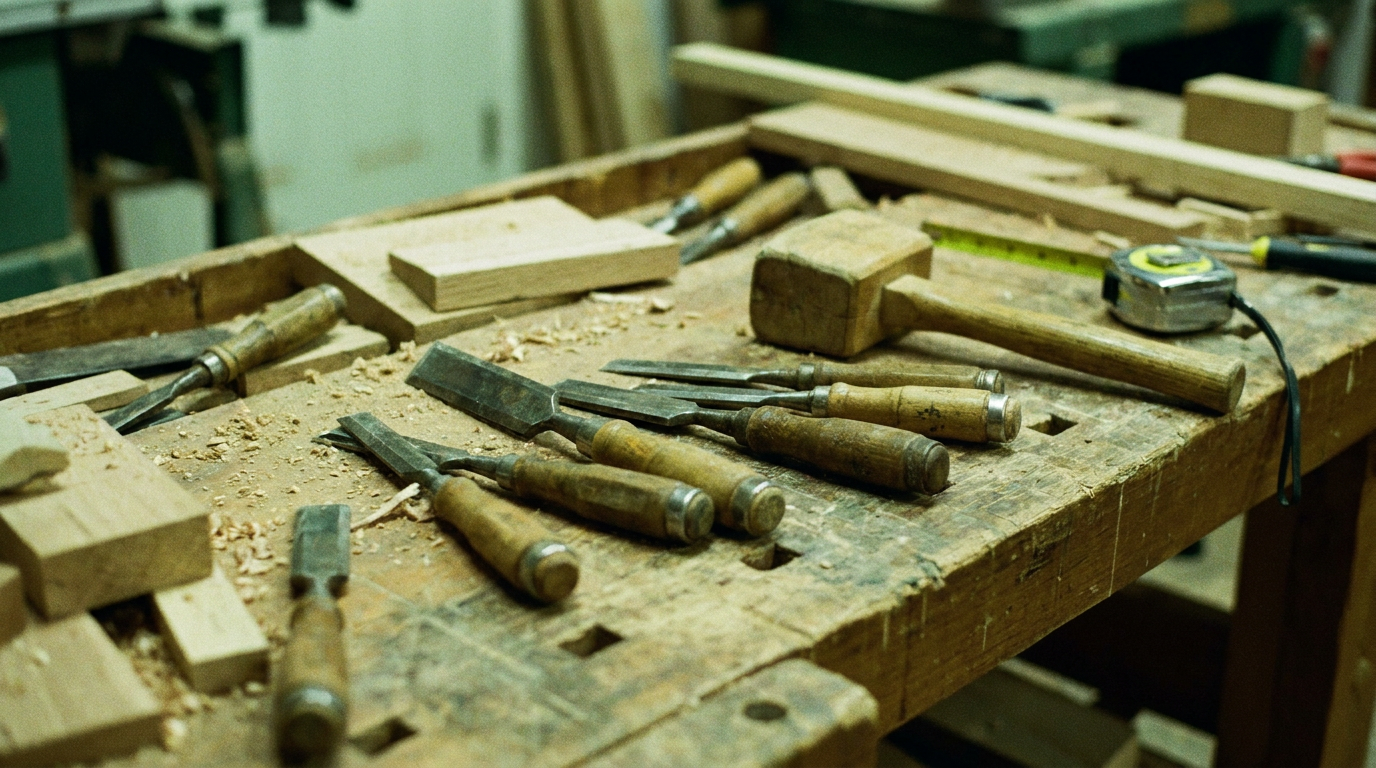
A real Animate a Photo result — a carpenter's own workbench photo, turned into a dramatic, TV-commercial-style showcase clip
- Use a sharp, well-lit photo — motion can be added, but blur or dark lighting can't be fixed.
- Simple, uncluttered backgrounds animate more convincingly than busy ones.
- One clear direction of motion works better than several — "slow pan across the counter", not "zoom, then rotate, then pan".
This adds movement to your photo — it won't change the lighting, angle, or quality of the original shot.
Upload a product photo and a one-line campaign idea — we'll build a finished, polished ad video around it. This is the flagship: the closest thing to briefing a creator, without briefing a creator.
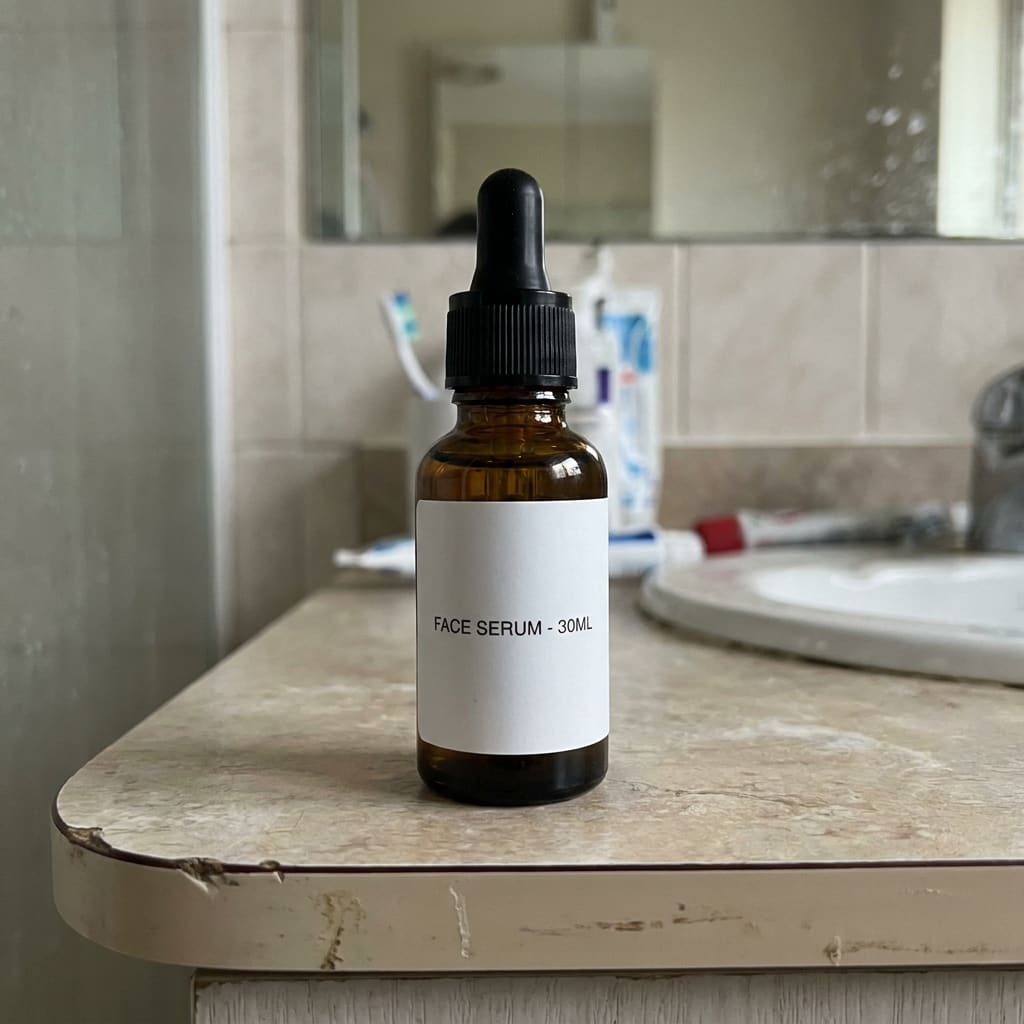
A real Instant Product Ad result — same bottle, same label, AI Studio's ad treatment
- Use a clean, well-lit shot on a plain background — the AI reimagines the scene, but a clear product photo keeps the shape and label accurate.
- Give a specific scene, mood and lighting, not just "make it look good" — "cosy autumn evening, warm light" beats "nice ad".
- One product per generation gets the sharpest result.
This builds a whole new scene around your product — expect a stylised ad, not your original background with effects added on top.
Already have a video? Upload it and get a new aspect ratio generated — a 16:9 ad reframed to 9:16 for Reels/TikTok, or 1:1 for a feed post — with the new edges filled in convincingly, not just cropped.
A real Reframe result — the exact same clip, reframed to fill a vertical frame
- Footage with a single clear subject reframes more convincingly than a busy, crowded shot.
- Steady footage works better than fast pans or shaky handheld — those are harder to extend naturally.
- Mention any text, logo or graphic near the edge of frame so it isn't lost or awkwardly stretched.
The new edges are AI-generated, not filmed — worth a quick watch-through before you publish.
Already have footage? Upload it and describe one targeted change — swap the background, shift the season or lighting, remove an object, add a logo overlay. Add your logo or another reference image below to guide it more precisely. Everything else stays exactly as filmed.
A real Restyle/Edit result — one instruction, the van's colour changed, everything else exactly as filmed
A second real result — the same tool used a different way: signage added to a blank van, nothing else touched
- Describe one specific change per order — the more targeted the instruction, the more reliably everything else stays untouched.
- Steady, well-lit footage restyles more reliably than dark or shaky clips.
- Say what should stay the same as well as what should change, if it matters — e.g. "keep the logo exactly as is".
- Uploading a logo or reference image? Mention it in your instruction too (e.g. "add this logo to the door panel") — the upload alone isn't read as an instruction.
A big, multi-part edit is more likely to need a re-run — splitting it into separate orders usually gets a cleaner result than asking for everything at once. A reference image or logo guides the edit but isn't guaranteed to come out pixel-for-pixel — always check the result before publishing it.
A short ad built from several connected shots telling one story, not just one clip from one photo. Describe what happens — craft, payoff, result — and we'll generate it as one continuous ad. A photo of your own business is optional but helps anchor the story to your actual work.
A real result — one story prompt, three connected shots: the craft, the payoff, the result
- Describe 3 clear beats — a setup, the craft or process, then the payoff — rather than one single scene.
- Uploading a real photo of your business anchors faces, products and setting; skipping it gives a more generic result.
- Describe the feeling you want at the end ("a customer's happy first bite"), not just an action.
Our most ambitious tool — small inconsistencies between shots (an object shifting slightly, lighting varying) are a current limit of AI video, not a fault with your order.
Good to know
- Turnaround
- Most generations finish in a few minutes. We'll email you the moment yours is ready — no need to keep the tab open.
- If it's not quite right
- Reply to your confirmation email and we'll take a look — a re-generation may be possible depending on the issue.
- Content
- The same standard terms as the rest of engaze.co.uk apply — see our Terms.